

Getting Started
Ignite is a goal tracker built around a simple observation: most goals are not abandoned because they were too hard, but because progress became invisible. Ignite's job is to keep your progress in front of you.
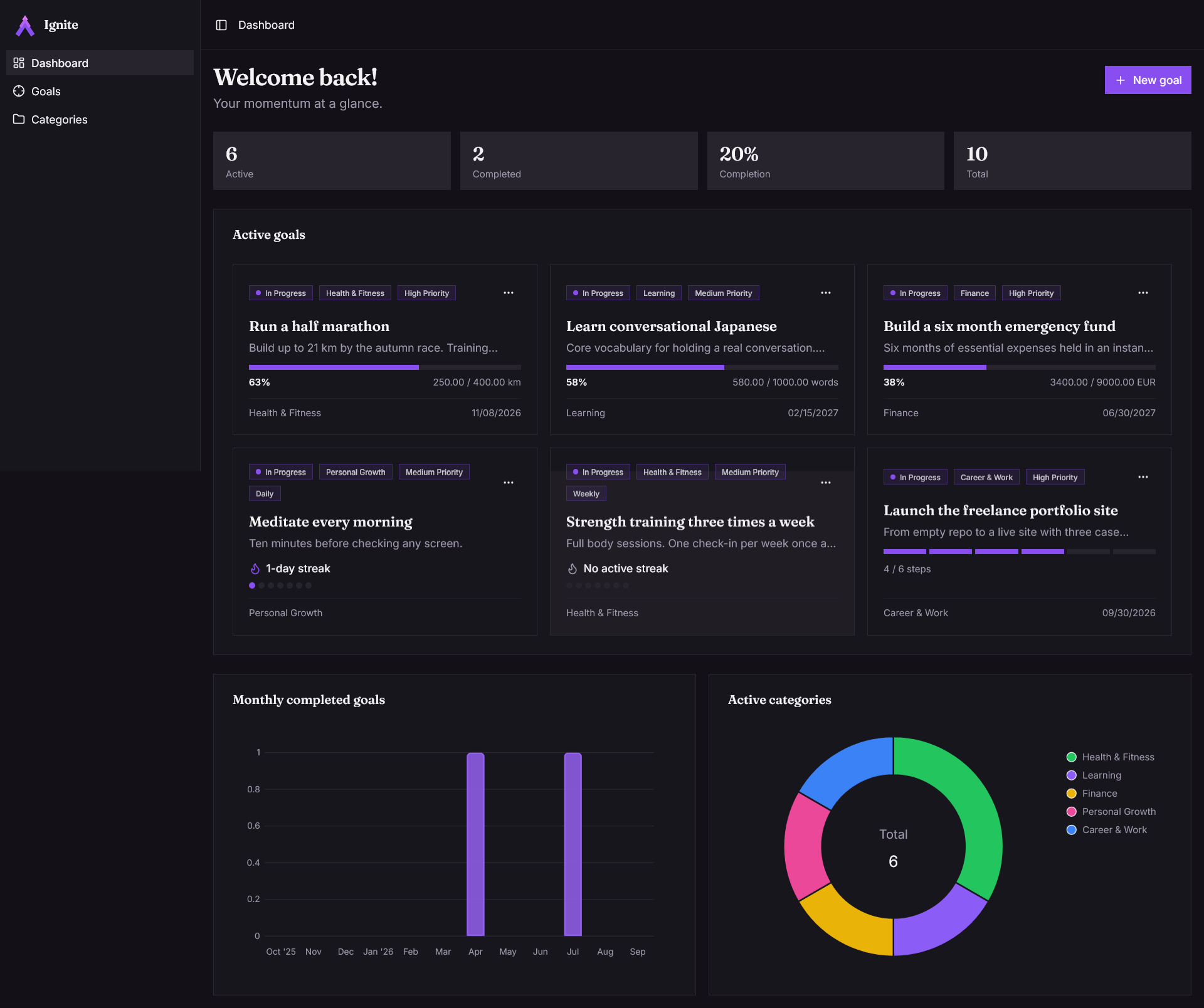
This guide covers using the app. If you want to run your own copy or work on the code, start with the developer documentation instead.
Create an account
Sign up with an email address and a password, then click the link in the verification email. If it does not arrive within a minute, check your spam folder, then use the resend button on the verification screen.
You can use Ignite in English or French. The switcher sits in the top bar, and the language you pick also applies to the emails Ignite sends you.
Create your first goal
A goal needs a title and a type. Everything else is optional.
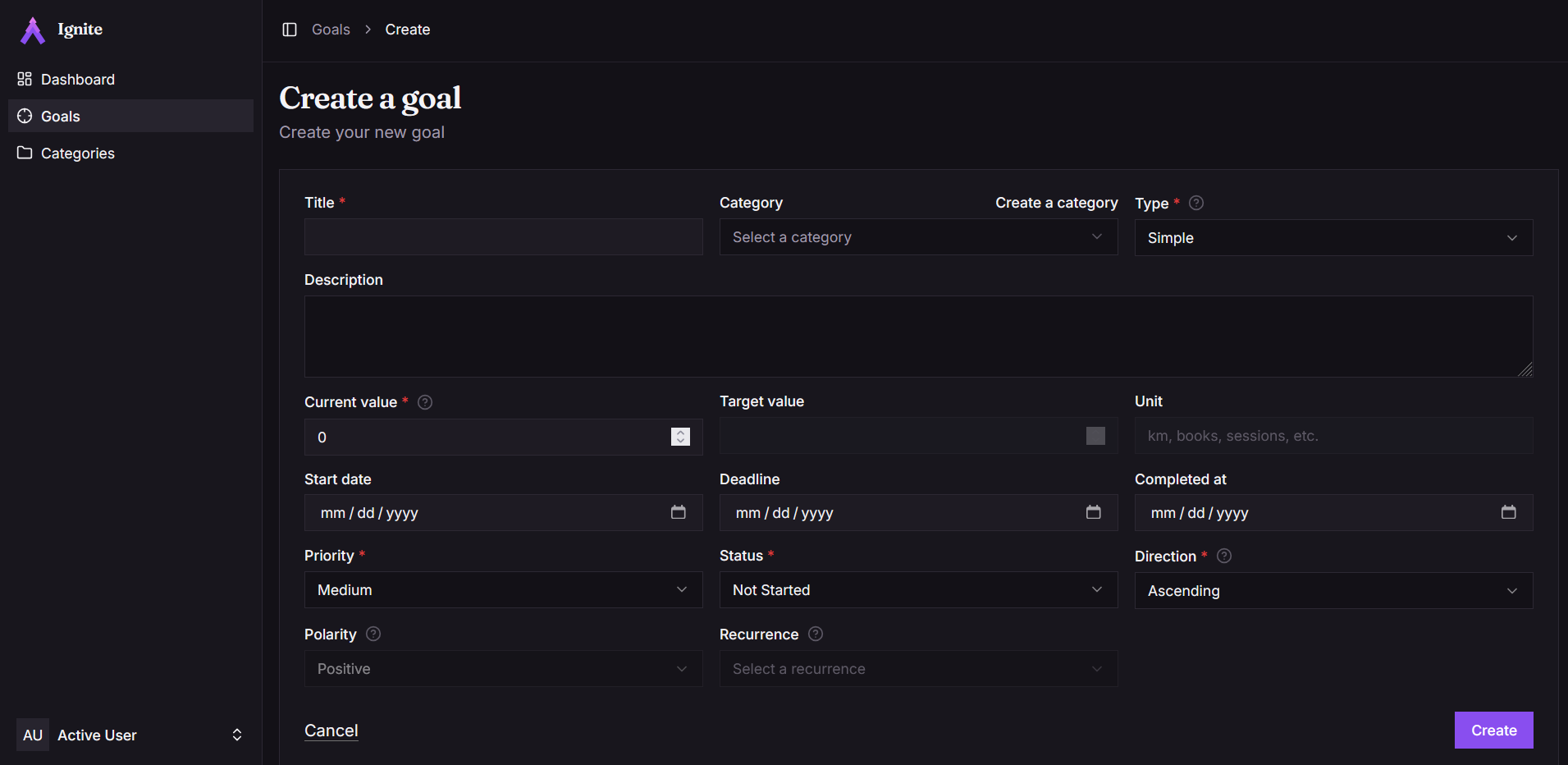
The type is the important choice, because it decides how progress is measured and how you log it. If you are unsure, Goal Types walks through the four and when each one fits. You can change the type later if you pick wrong.
Optionally you can also set:
- a category, to group goals by area of life. A starter set is created with your account, and you can edit or add your own.
- a deadline, if the goal is time-bound. It cannot be in the past.
- a priority, which affects ordering and nothing else.
Log progress
How you record progress depends on the type. Quantifiable goals take a number, recurring goals take a check-in, multi-step goals advance through milestones, and simple goals are marked done when they are done. Tracking Progress covers each.
The habit that matters is logging soon after the thing happens. Ignite can only show you momentum you have actually recorded.
Connect your AI assistant
Ignite runs an MCP server, so you can manage goals by asking Claude or any other MCP client instead of opening the app. Create a scoped API token in your settings and point your client at it. See the MCP server page for setup.